RWS built a B2B ordering system for a German fashion agency, a company that represents brands to retailers. Retail customers registered, placed orders and re-orders, and sent support requests in one system. Administrators approved each order before it went to the brand by email. Established in 2005, RWS has delivered 650+ projects for clients in 20+ countries.
The brief
The agency sold the products of several brands to retail customers and needed one online system for that work. Customers had to register, place orders and re-orders, and send support requests. A back office gave administrators control of customers, orders, re-order campaigns and brands. Every approved order had to reach the right brand by email.
This B2B ordering platform ran as a Laravel application, with separate logins for administrators and for customers. Laravel is a PHP framework: a set of ready-made building blocks for web applications. Four areas made up the system: registration, orders, re-order campaigns and support requests. Customers could also invite colleagues to use it with limited access.
How an order moved from request to brand
Every order passed through a small set of steps, and an administrator controlled the hand-off to the brand.
Creating and confirming an order
The administrator chose the brand and searched for the customer, which filled in the invoice and delivery details from the customer record. Quantities went into a grid for the product variants. That grid changed with the product category, and the page calculated the totals as quantities were typed. Special conditions, a delivery date and a note went on the same form. A tick box sent a confirmation to the customer.
Alternatively, an administrator could leave an order open for the customer to finish. Customers received a token link, which is a link with a one-off code tied to that single order. Through it, they reached a confirmation page and completed or approved the order. Each brand could have an information text, shown as a pop-up when that page loaded. Administrators could also add an image for the customer to see.
Autosave ran each time a product was added or edited. Before an order was executed, a prompt asked the person to confirm.
Approval and hand-off to the brand
Every order carried a status and the date of its last action: waiting for the customer, open, completed or rejected. Filters on the order list narrowed what administrators saw.
When an administrator approved an order, the system emailed the brand with the order attached as a PDF. No email went to the brand for an order that was not approved.
A reminder email went to a customer who had not answered an open order, and the screen showed the date of the last reminder. Administrators could also duplicate an order. The copy kept the products but left the customer and delivery address blank, so the administrator had to choose them.
Deleting an order followed one rule. If the order had already been approved, the brand received a notice. An order that had never been sent was deleted without any email.
The customer portal for B2B online ordering
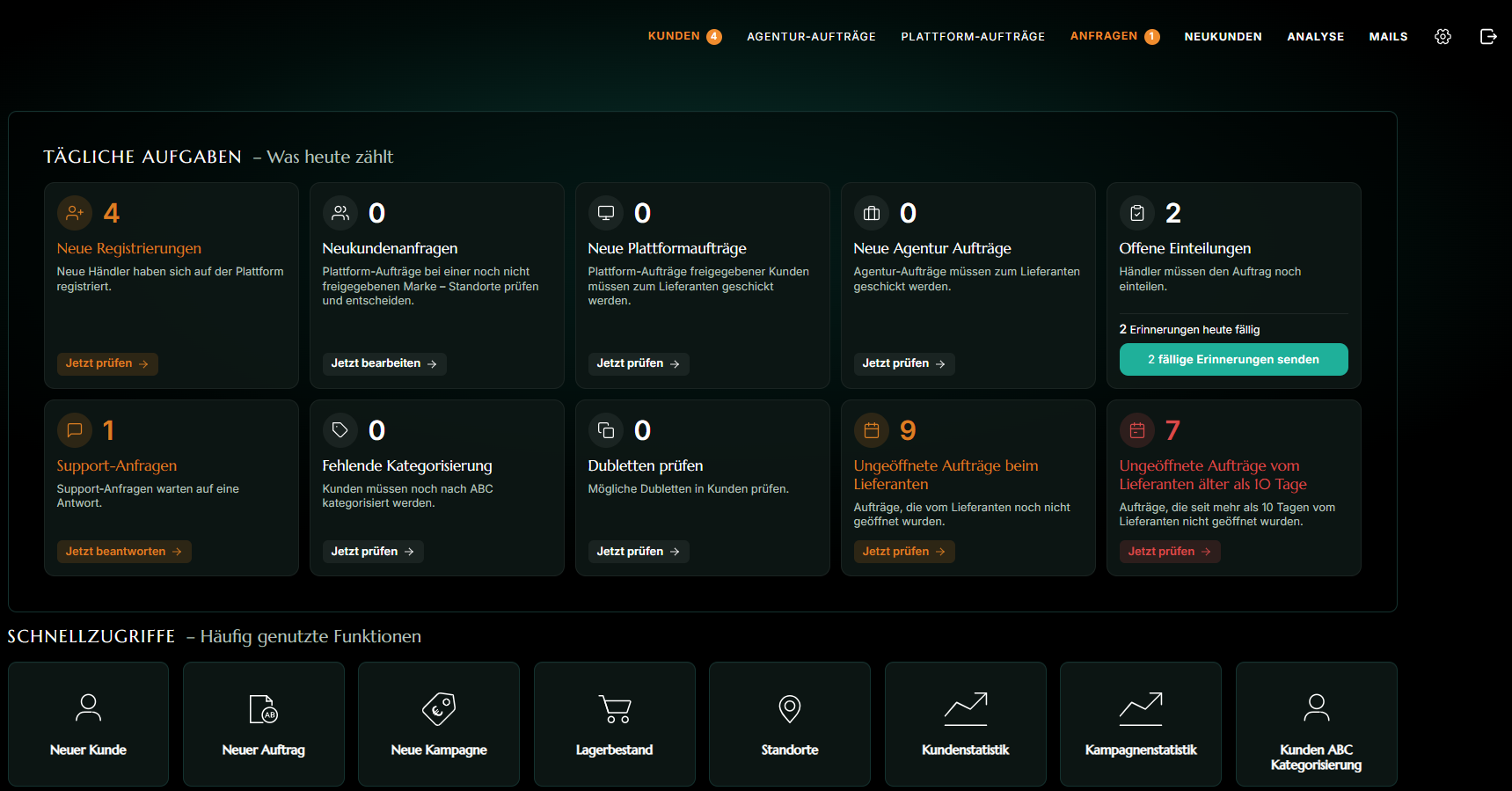
Retail customers used the portal to register, order, re-order and raise requests. After login, the start page showed the support forms and the active re-order campaigns. Below, the sections follow the customer's path.
Registration and approval
Three routes led in. Customers already known to the agency entered their email address and customer number. The form filled in the data the agency held, and an administrator checked and activated the account.
A customer created by an administrator still registered personally, and the account went live as soon as they did. New companies applied through a public form and waited for an administrator to approve them.
Passwords were always chosen by the customer, so the agency never handled one. Registration required one delivery address, with further addresses added later and an optional mobile number field.
After registering, customers could edit their own details on a final-step page. In the customer list, an icon showed whether each account was confirmed, newly registered or waiting for an administrator.
Re-order campaigns and packages
Each re-order campaign was a time-limited offer that an administrator set up for one brand. It had a name, a cover image, a delivery window and an order deadline. The administrator added the products and chose which variants were available for each.
Predefined packages could set a fixed quantity per variant. A package could also have a maximum number available, which counted down as customers ordered. An administrator could change that number at any time. Without a maximum, customers could order as many as they wanted.
Administrators set the order in which brands and campaigns appeared on the customer's start page. On the open-order page, customers could copy the quantities from one product row into the next. A prompt asked for confirmation before a re-order was executed. For the agency, a report listed every predefined package with its remaining stock by brand, campaign and package.
Support requests
The start page offered forms for returns, product code requests, appointment requests and general questions. Before a form went to the brand, a pop-up asked the customer to confirm. Customers could see their own requests.
Administrators saw all requests in one list, split into two boxes. One held requests that needed an administrator. The other held requests that were with the supplier or done. From the list, they changed the status and added comments. Each request also recorded who had sent it and who had last changed its status, with the date.
Sub-accounts and roles
A main customer could invite colleagues from the customer area. They entered a name and an email address and chose a role. In effect, each invited colleague got a sub-account: a login that belonged to the customer's company but had its own credentials and a limited view. The invitation email contained a button that opened a page for setting a password. Afterwards, the new user went straight to the start page.
An Assistant saw everything the main customer saw, except the customer data pages. That role could send support requests and execute re-orders. Editors saw a reduced start page with links to the support forms only. Customer data and re-order campaigns were hidden from them. In the administrator's overview and edit pages, the name of the person who had executed each re-order or sent each support request appeared.
The administrator back office
Administrators worked from a back office with its own login. The customer list showed a status icon for each customer. Search worked by customer number, store name or company. Filters covered registration status, whether the data was complete and follow-up status. Columns could be sorted.
Follow-up status tracked sales contact. An administrator chose it from a list of agreed values, such as call back, send catalogue or visit. It could be saved from the list or from the customer's edit page. Notes were stored with the author and date and opened in a pop-up.
To invite a customer, the administrator clicked an icon in the list. That opened a pre-filled email in their own email application, with the customer number and registration link already in the text.
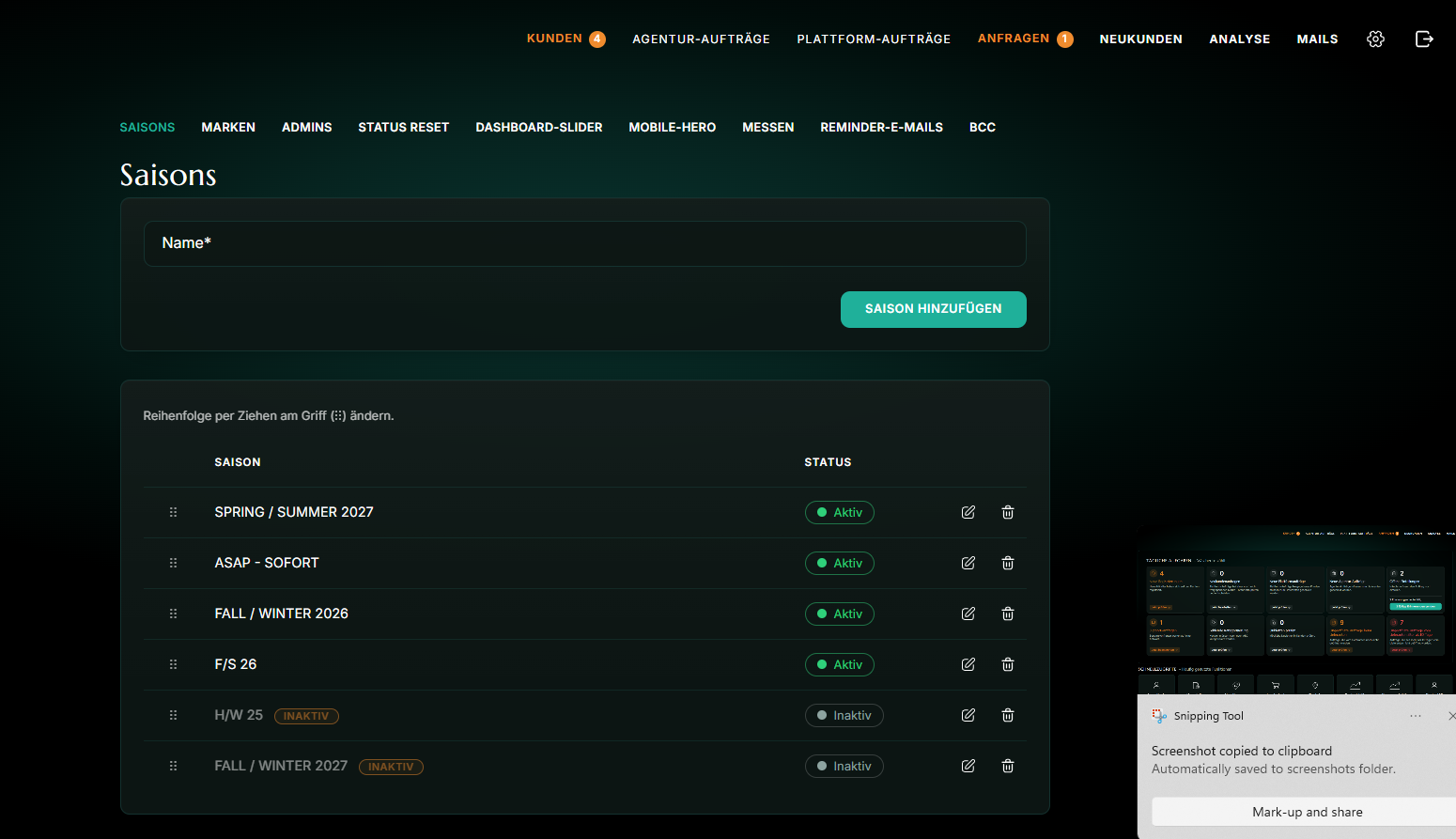
Customer pages held a special-conditions field, multiple file uploads for customer documents and a delete option. Settings covered brands, seasons, email templates and administrator accounts. For each brand, the administrator kept a logo, a contact email and the information text shown to customers. Password resets for administrators went out by email. On the order and re-order lists, a red marker showed when a customer had added a note.
Decisions and trade-offs
Four decisions shaped how the system worked.
Customers set their own passwords, and an administrator activated accounts that customers started themselves. The agency never handled customer passwords. Administrators paid for that with an approval step on those registrations.
Package quantities counted down, and administrators could change them at any time. Each package had a limited number available. Upkeep was the cost, because an administrator had to keep each maximum accurate.
A brand was told about a deleted order only if the order had been approved. Only approved orders ever reached a brand, so only those needed a notice. Orders deleted before approval left no trace with the brand, and that was the cost.
Two fixed customer roles. An Assistant could do everything except edit customer data. Editors could only send support forms. Less flexibility was the cost: a third kind of user would have needed further development.
How the project was delivered
RWS started from wireframes and built the system in stages with the agency. Each release was tested on a staging site before it went live. Website application development , testing, deployment and go-live took about six months. To discuss a similar project, contact us.
The result
The system was in use in 2026. Both groups worked in the same system, each with its own view. It supported these outcomes:
- Retail customers registered themselves and placed orders and re-orders online.
- Each approved order reached its brand by email after an administrator approved it.
- Support requests carried a status, comments and a record of who changed what.
- Colleagues were invited with limited roles, and the system recorded who acted.
Frequently asked questions (FAQs)
{ "@context": "https://schema.org", "@type": "FAQPage", "mainEntity": [ { "@type": "Question", "name": "How did customers get access to the system?", "acceptedAnswer": { "@type": "Answer", "text": "There were three routes. Customers already known to the agency entered their email address and customer number, saw their data pre-filled, and an administrator checked and activated the account. A customer created by an administrator registered personally and went live at once. New companies applied through a public form and waited for approval." } }, { "@type": "Question", "name": "How did an order reach the brand?", "acceptedAnswer": { "@type": "Answer", "text": "Once an administrator approved the order, the system emailed it to the brand as a PDF. No email went to the brand for an order that was not approved. If an approved order was later deleted, the brand received a notice." } }, { "@type": "Question", "name": "How did re-order campaigns limit what customers could order?", "acceptedAnswer": { "@type": "Answer", "text": "A campaign could use predefined packages, each with a fixed quantity per variant. Administrators could set a maximum number of packages, and the count went down as customers ordered. That number could be changed at any time. Without a maximum, customers could order as many as they wanted." } }, { "@type": "Question", "name": "What could a customer's colleagues do in the system?", "acceptedAnswer": { "@type": "Answer", "text": "Main customers invited colleagues by name and email and gave each one of two roles. An Assistant saw everything except the customer data pages and could send support requests and execute re-orders. Editors saw only the support forms. The system recorded who acted." } }, { "@type": "Question", "name": "How long did the build take?", "acceptedAnswer": { "@type": "Answer", "text": "About six months, covering development, testing, deployment and go-live. RWS worked from wireframes, built the system in stages with the agency and tested each release on a staging site before it went live." } } ] }
How did customers get access to the system?
There were three routes. Customers already known to the agency entered their email address and customer number, saw their data pre-filled, and an administrator checked and activated the account. A customer created by an administrator registered personally and went live at once. New companies applied through a public form and waited for approval.
How did an order reach the brand?
Once an administrator approved the order, the system emailed it to the brand as a PDF. No email went to the brand for an order that was not approved. If an approved order was later deleted, the brand received a notice.
How did re-order campaigns limit what customers could order?
A campaign could use predefined packages, each with a fixed quantity per variant. Administrators could set a maximum number of packages, and the count went down as customers ordered. That number could be changed at any time. Without a maximum, customers could order as many as they wanted.
What could a customer's colleagues do in the system?
Main customers invited colleagues by name and email and gave each one of two roles. An Assistant saw everything except the customer data pages and could send support requests and execute re-orders. Editors saw only the support forms. The system recorded who acted.
How long did the build take?
About six months, covering development, testing, deployment and go-live. RWS worked from wireframes, built the system in stages with the agency and tested each release on a staging site before it went live.
