Expert Speed Optimization Service
Raghwendra Web Services delivers site speed optimization built around Google's Core Web Vitals — fixing the caching, image, database, and code issues that push load times into the red. Our 15-person team optimises WordPress and Magento sites specifically, starting every engagement with a free audit of your current PageSpeed and GTmetrix scores.
From Concept to Code: Full-Stack AI Software Development
A chatbot built on a general-purpose API can answer questions. It can't act inside your existing systems, learn from your specific data, or scale the way custom software does. That's the line between an AI feature and AI application development — one is bolted on, the other is built.
Our approach starts with a minimum viable product: a working version scoped to test whether the AI genuinely solves the problem before either of us commits to a full build. Once the MVP proves the approach, development continues toward the complete application — proprietary code, trained on your data, owned entirely by you.
01 /
Largest Contentful Paint (LCP)
Custom applications
measures how long it takes your biggest visible element — usually a hero image or headline block — to render. It commonly fails because of unoptimised images, render-blocking CSS, or a slow server response before the browser can even start loading that content.
02 /
Interaction to Next Paint (INP)
Content management system
which replaced First Input Delay as Google's responsiveness metric in 2024, measures how quickly your site responds once a visitor actually clicks or taps something; it fails when JavaScript is tying up the browser's main thread.
03 /
Cumulative Layout Shift (CLS)
Mobile friendly designs
tracks how much your page jumps around as it loads — ads, fonts, or images without reserved dimensions are the usual culprits.
We diagnose which of these three is actually costing you the most before touching anything, then fix the specific cause rather than applying a generic speed plugin and hoping for the best.
Web Speed Optimization: Advanced Caching & CDN Setup
Web speed optimization at the infrastructure level starts with reducing how much work your server does for each visitor. Server-side caching stores a ready-to-serve version of your pages so the server doesn't rebuild them from the database on every request — this alone often cuts response time from over a second to well under 200ms on database-heavy sites. Pairing that with a global content delivery network means visitors load static assets — images, CSS, JavaScript — from a server physically close to them, rather than a single origin server that might be halfway round the world from where they're browsing.
We configure both layers together rather than treating caching and CDN as separate add-ons, since a caching rule that conflicts with your CDN's edge settings can quietly undo the benefit of either one on its own.
Image & Database Compression
Two of the heaviest, and most overlooked, sources of page bloat sit outside your actual content: oversized images and an accumulated database.
We convert images to WebP — a format that renders at a fraction of the file size of a standard JPEG or PNG at equivalent visual quality — and resize them to the dimensions they're actually displayed at, rather than shipping a full-resolution upload to be squeezed down by the browser. On the database side, years of post revisions, expired transients, and orphaned metadata (particularly common on older WordPress and Magento installs) slow down every query the page runs, even ones that have nothing to do with the content being displayed. Cleaning that out is routine maintenance most sites never get.
How to Optimize Your Website for Speed
Code Minification
Every unnecessary character in your CSS, JavaScript, and HTML — comments, whitespace, long variable names — adds to the size of the file a visitor's browser has to download before it can render anything. Minification strips that out without changing what the code does, and we combine it with deferring non-critical JavaScript so the browser can paint the visible page before it finishes loading scripts further down the page that aren't needed immediately.
01 /
WordPress Speed Optimization
Custom applications
WordPress sites usually slow down for the same handful of reasons: an accumulation of plugins that each load their own CSS and JavaScript on every page regardless of whether that page needs them, no server-side caching layer configured, and a database that's never been cleaned since launch. We audit the plugin stack for genuine conflicts and unnecessary load, configure caching at the server level, and clean the database as part of the same engagement.
02 /
Magento Speed Optimization
Content management system
Magento's challenge is usually catalogue scale: a large product catalogue puts real load on indexing and search, and a full-page cache that isn't configured correctly means every catalogue page gets rebuilt from scratch instead of served from cache. We review indexing configuration and full-page cache setup as a pair, since fixing one without the other rarely moves the needle on a heavy catalogue. The approach is the same regardless of platform — diagnose the real bottleneck first, then fix it — which is why WordPress and Magento sit under the same speed optimization process rather than separate offerings.
The Proof: Before & After Results
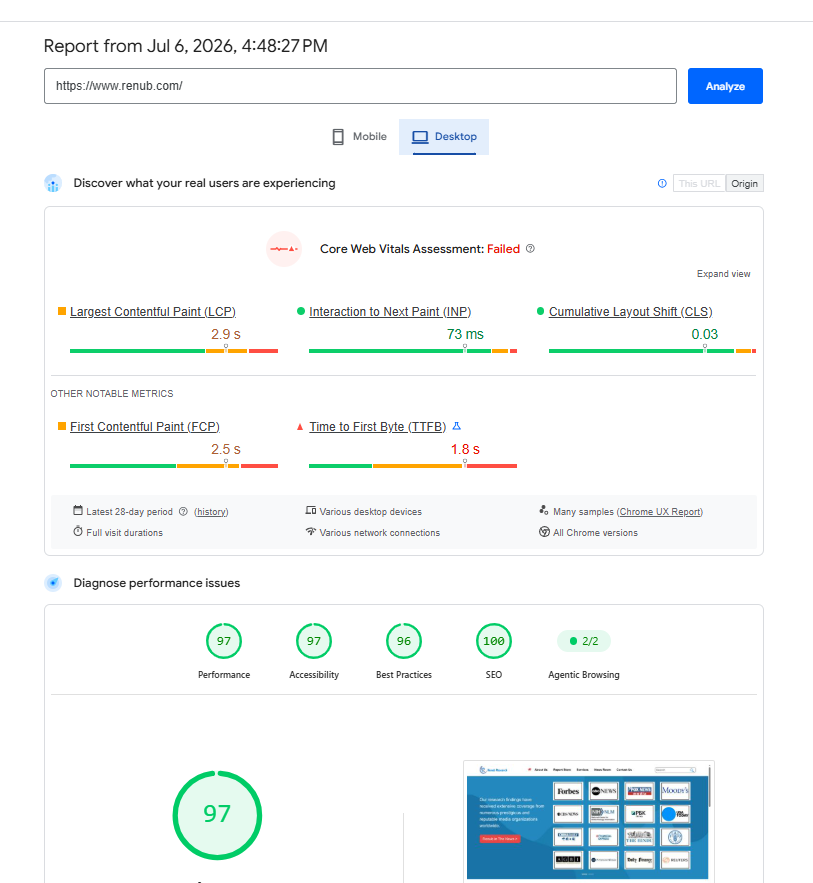
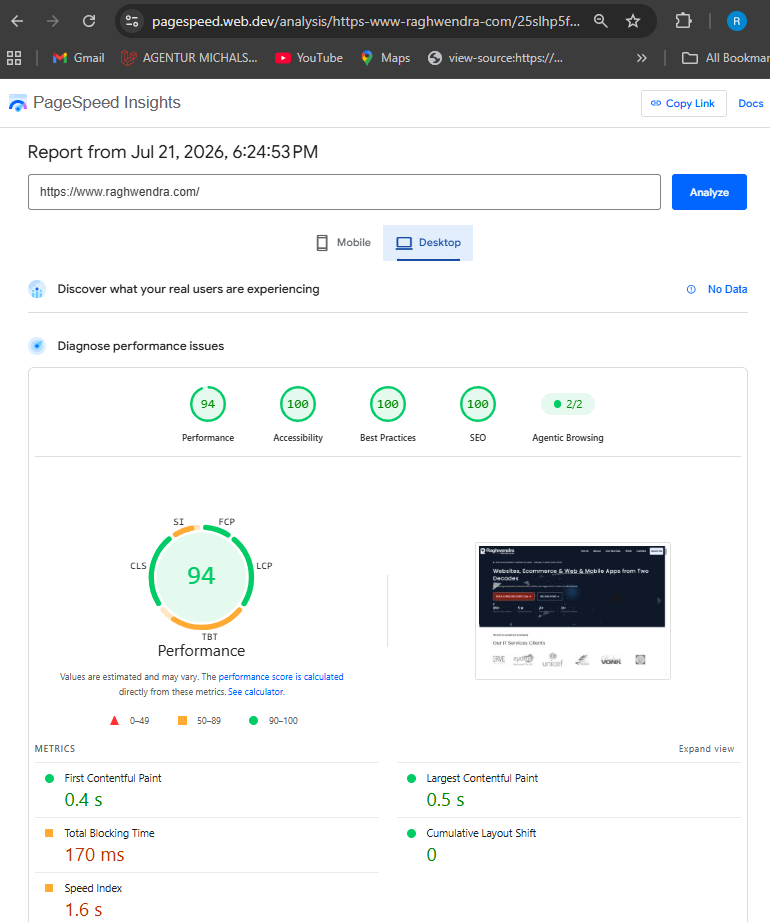
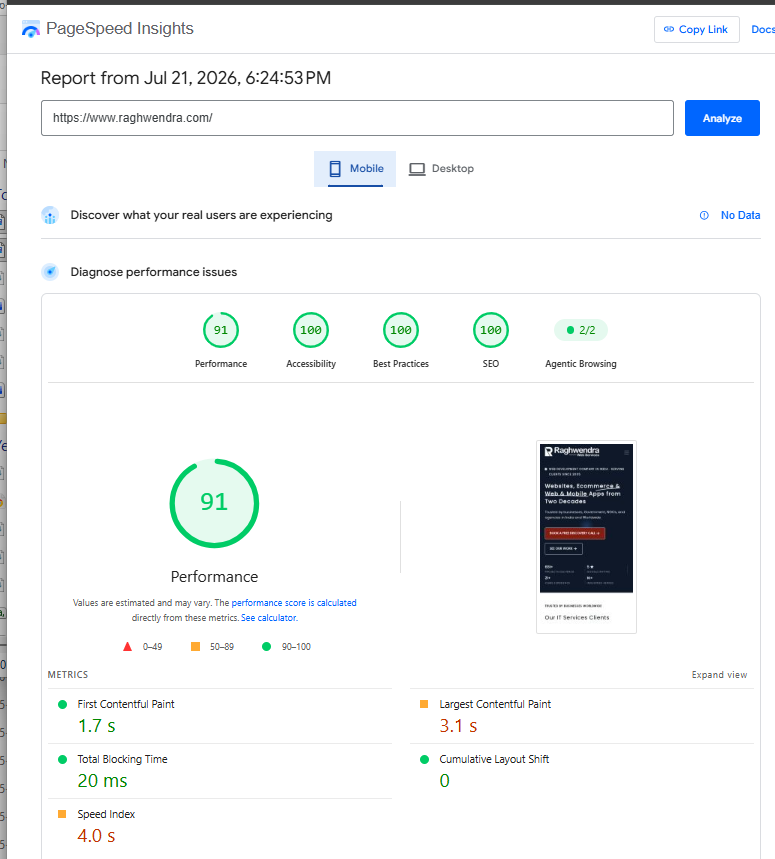
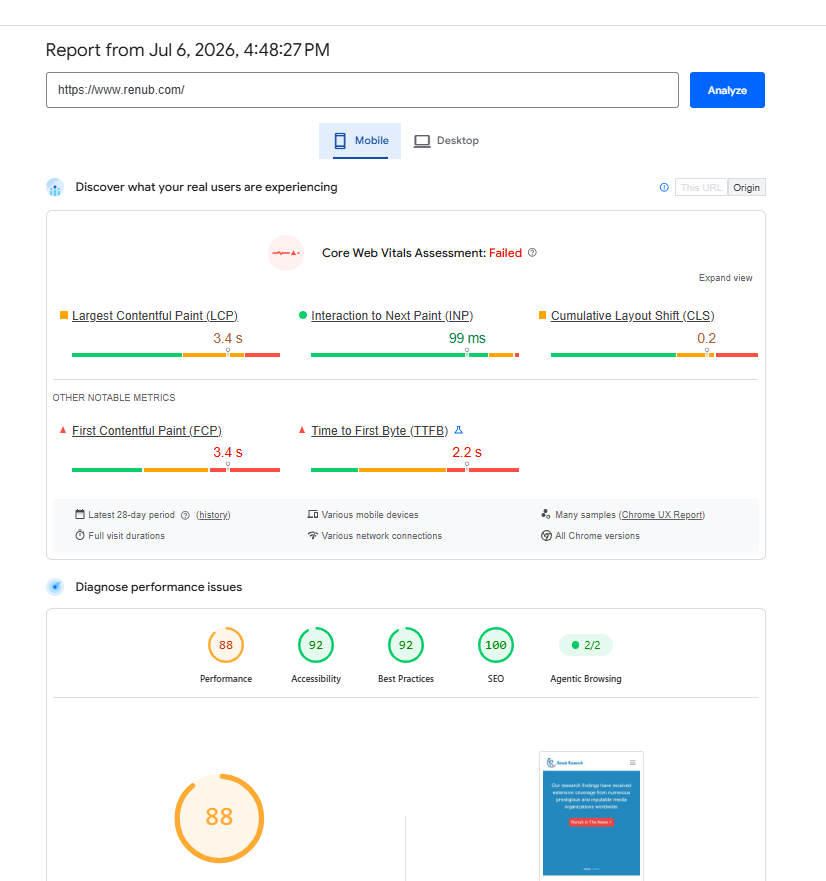
Speed optimisation claims are only useful if you can see the number move. Every engagement includes a documented before-and-after comparison — your site's actual Google PageSpeed Insights and GTmetrix scores, captured before we start and again once the work is complete, so the improvement is something you can verify yourself rather than take on trust.
Why Site Speed Optimization Affects Your Revenue
A slow page doesn't just frustrate visitors — it costs you measurably, on two fronts at once. On the conversion side, every extra second a visitor waits is another moment for them to lose patience and leave before they've even seen what you're offering, particularly on mobile and particularly for eCommerce checkouts where each additional step compounds the drop-off. On the visibility side, Core Web Vitals are a confirmed part of Google's ranking signals, so a page that fails LCP, INP, or CLS is working against its own search performance regardless of how good the content on it is. Fixing the underlying technical issues addresses both problems with the same work, rather than requiring separate conversion and SEO projects.
Get Your Free Speed Audit
Send us your URL and we'll run it through Google PageSpeed Insights and GTmetrix, then get back to you within 24–48 hours with a plain-language breakdown of what's actually slowing your site down and what it would cost to fix — no obligation to proceed.
Once your site is optimised, keeping it fast is covered by the same 99.9% uptime SLA that backs our maintenance retainers, so speed isn't a one-off fix that quietly slips back to where it started. If you're looking for ongoing website maintenance alongside the speed work, that's covered on our website maintenance page.
Speed Optimization for Agencies & White-Label Partners
If you're a digital agency with clients running slow sites, we run the same audit and fix process under your brand. You remain the client-facing point of contact; we handle the technical diagnosis and implementation behind the scenes, and every engagement is covered by an NDA and non-compete agreement so your client relationship stays protected throughout. Backed by our 15-person team and 21 years in business — more on both on our about us page — get in touch to discuss a white-label speed optimisation package suited to your agency.
Frequently Asked Questions (FAQs)
Improving your Google PageSpeed score starts with identifying the Core Web Vitals that need the most attention, such as Largest Contentful Paint (LCP), Interaction to Next Paint (INP), or Cumulative Layout Shift (CLS). A technical performance audit helps pinpoint the issues that will have the greatest impact on your website's speed and overall performance.
Slow WordPress websites are commonly caused by excessive plugins, poor server-side caching, unoptimised images, bloated themes, and databases filled with outdated revisions and temporary data. In many cases, several of these performance issues occur together rather than individually.
Website speed optimisation directly supports SEO because Google's ranking algorithm includes Core Web Vitals such as LCP, INP, and CLS as ranking signals. Faster-loading websites generally provide a better user experience, improve engagement, and have a stronger opportunity to perform well in search results.
Hosting provides the server infrastructure that runs your website, while speed optimisation focuses on improving the site's code, images, caching, database, and other technical elements. Although better hosting can improve performance, a poorly optimised website may still load slowly without proper speed optimisation.
The time required depends on your website's size, platform, and technical complexity. A small WordPress website can often be optimised more quickly than a large Magento or enterprise eCommerce store. Following a performance audit, we provide a realistic timeline based on the work needed to achieve the best possible results.
